01Selected results
Ideas to try
Some current result screens include optional Things to try ideas. This is still rolling out and does not appear for every assessment or saved result.
A quieter kind of self-discovery
Explore thoughtful self-assessments. Get clear results. Come back to what you learn.
Informational tools for reflection, not diagnosis or treatment.
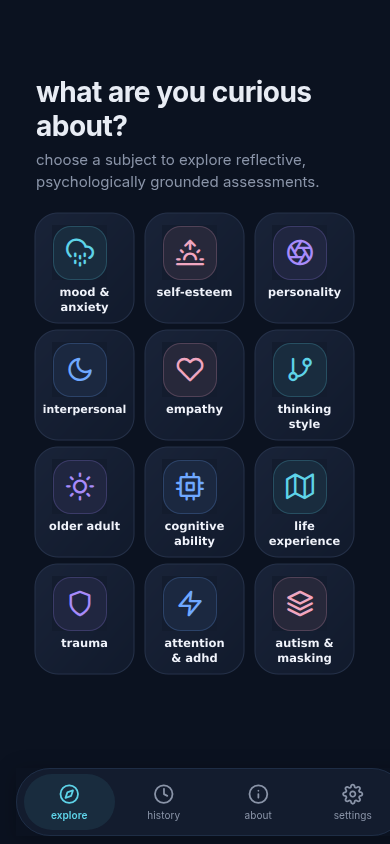
Begin with a subject that interests you. Take an assessment, read your result, and return to it when you want.
Browse the active subjects or search for an assessment.
Review its purpose and limits, then answer one question at a time. Save and exit if you need a break.
See your score alongside plain-language context about what it means.
Find saved results in History, or retake an assessment when you choose.
89 self-assessments across nine subjects. See what each covers, then choose a question that interests you.
Broad tendencies in how you think, respond, and engage with the world.
For exampleRecent mood, worry, life satisfaction, and everyday emotional patterns.
For exampleHow you see your abilities, your influence, and what lies ahead.
For examplePatterns of closeness, trust, and interest in romantic connection.
For exampleHow you connect, speak up, and adapt around other people.
For exampleHow you respond to others and consider what matters to you.
For exampleEveryday follow-through, goal-striving, and perseverance.
For exampleHow you engage with ideas, everyday thinking, and creative interests.
For exampleOriginal policy-attitude quizzes for reflecting on your views, without assigning a political party.
For exampleBrowse a range of topics, from mood and self-esteem to empathy and thinking style. Pick one that feels relevant today.
Your answers become a score with context you can actually read. Understand what a range means, without mistaking it for a label.
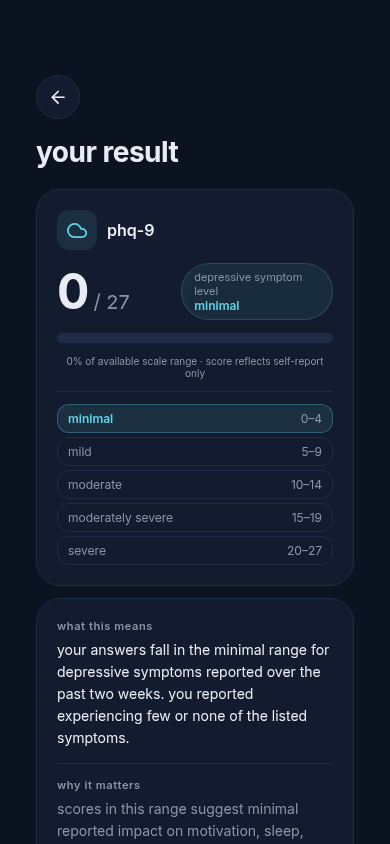
Save your results and find them again in your history. Reflection can happen now, or when you are ready to return.
A place to come back to
An illustration of the journey, not an app screenshot.
Keep a result to yourself, or choose what to do with it next.
Some current result screens include optional Things to try ideas. This is still rolling out and does not appear for every assessment or saved result.
Select saved results, preview the report, and decide whether to include your answers before creating a PDF or sharing from your device.
Import a shared comparison package to view selected scores side by side. It does not share raw answers or judge compatibility.
Results are stored locally in the app. Delete a result or clear local app data in Settings; anything you choose to share leaves the app's control.
The mobile app supports English, Spanish, Ukrainian, Japanese, and Brazilian Portuguese. Choose from the dedicated Language tile in mobile Settings; the app remembers your choice between sessions.
In the mobile app, About → further exploration connects you to these independent resources. They open outside Whereabouts and have their own guidance and privacy policies.
Whereabouts is available as an Expo Go phone preview. It is not a Whereabouts App Store or Google Play release.
Install Expo Go if needed, then open the preview page on your phone to launch Whereabouts there.
Phone preview steps (Expo Go)Open the same preview page on your computer and scan its QR code with your phone or Expo Go.
Show the Expo Go QR codeWhereabouts brings informational self-assessments into one place. We choose them for their psychological basis, appropriate usage rights, and clear scoring. You can review an assessment's purpose, source, and limitations before answering.
Results are for reflection, not diagnosis or treatment. The app does not replace a professional evaluation or monitor emergencies.
The essentials before you begin.
For questions about Whereabouts, email our support address. Your message opens in your own mail app.